Designed 0→1 Experience for Tide's Business Phone Number
Tide helps over 1.8 million SMEs with everything they need to run their business
With a presence across the UK, India, Germany and France, Tide provides a single platform for banking, admin, invoicing and other tools that keep small businesses moving.
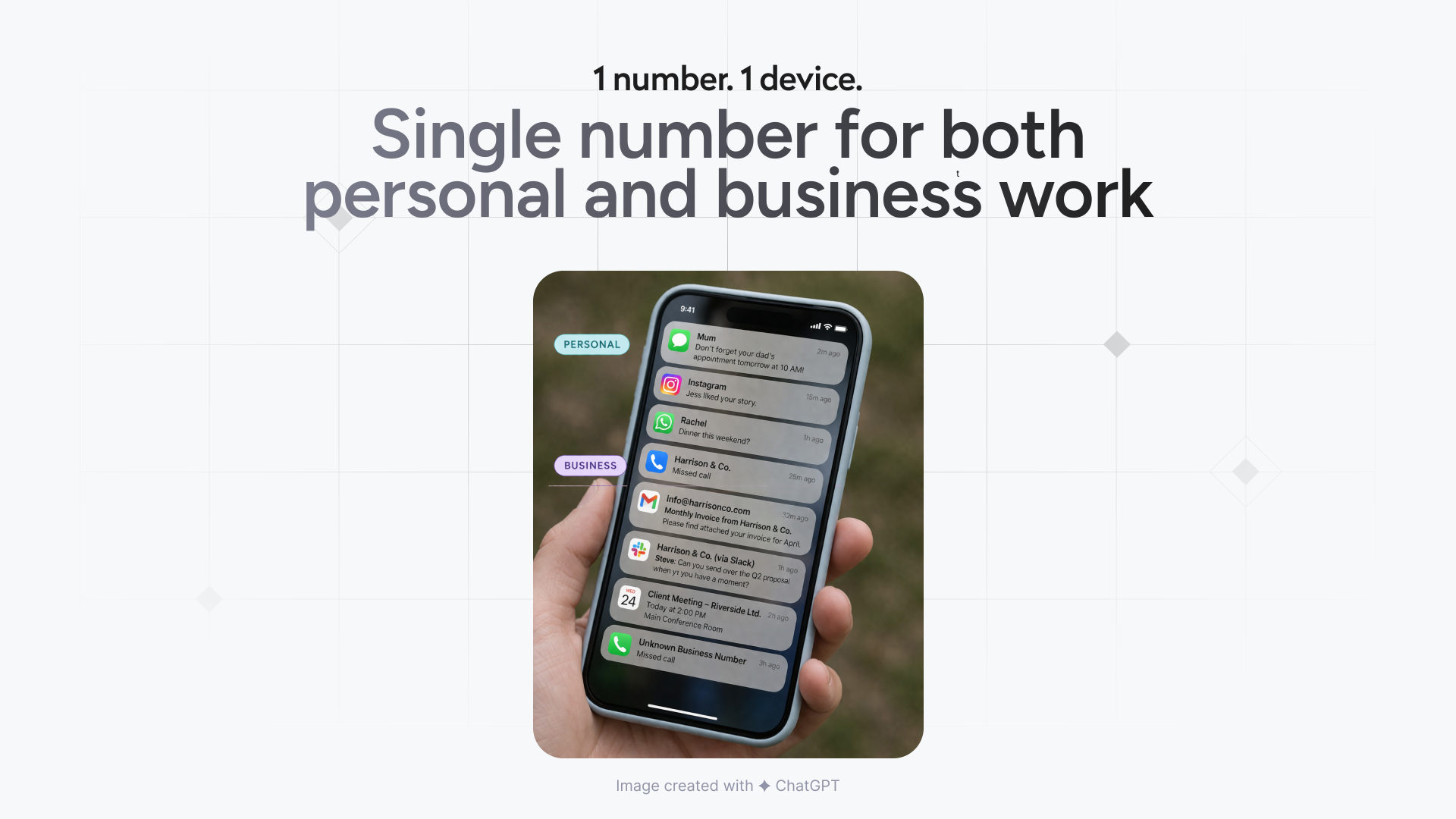
Most small business owners use their personal number for business communications
From client calls to supplier coordination and personal conversations, everything happens on a single phone number – leading to constant context-switching, reduced professionalism, and no clear boundary between work and personal life.
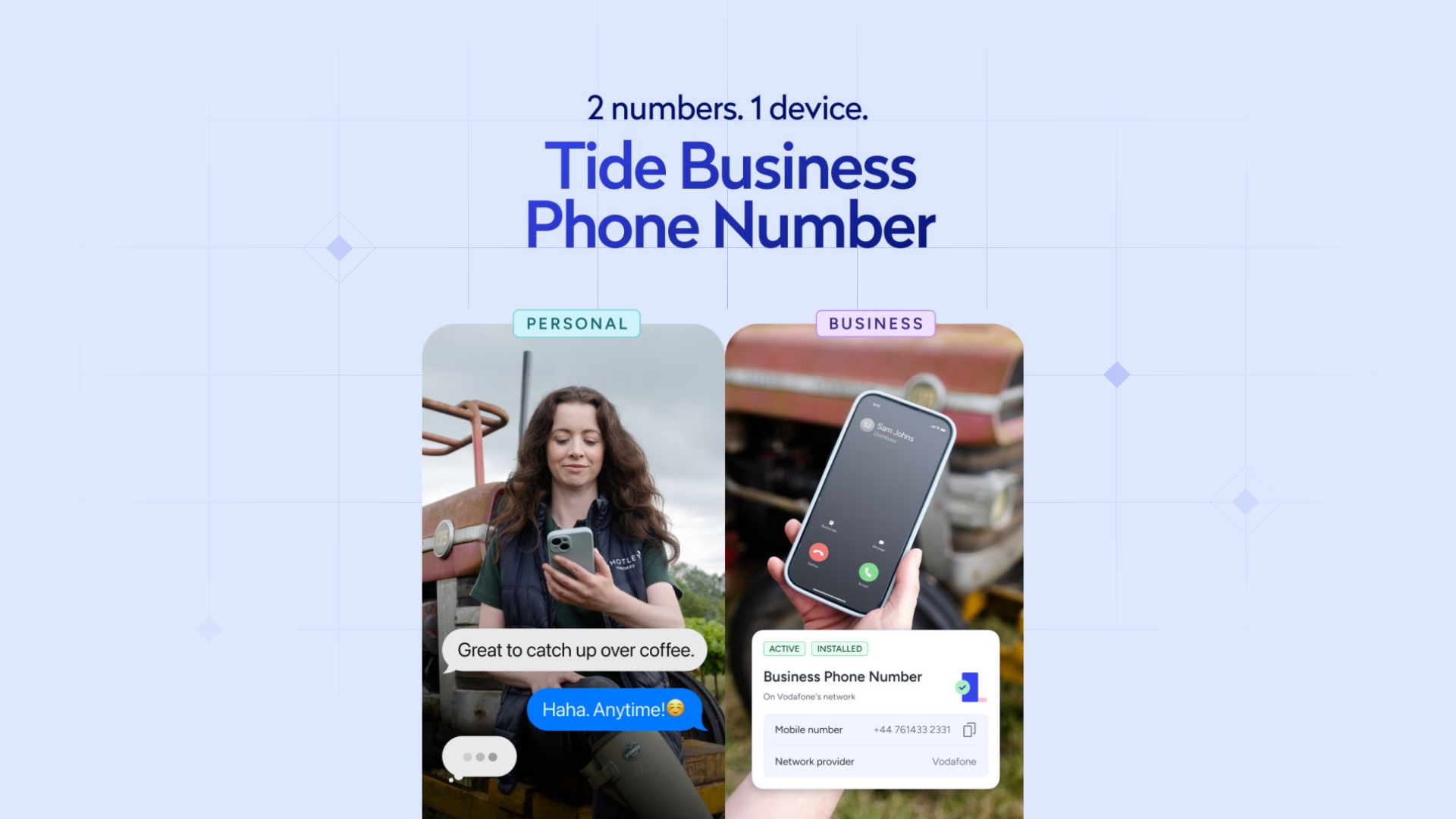
Help users separate and manage their business communication without needing a second device
For small business owners, primarily sole traders who make up ~75% of Tide's user base, this can reduce operational overhead, improve credibility, and create a clearer separation between work and personal life.
Drive Tide's paid plan adoption while validating product–market fit for Business Phone Number among SMEs
By addressing a core user need, Business Phone Number aims to validate product–market fit while driving plan upgrades and improving retention through deeper integration into users' daily workflows.
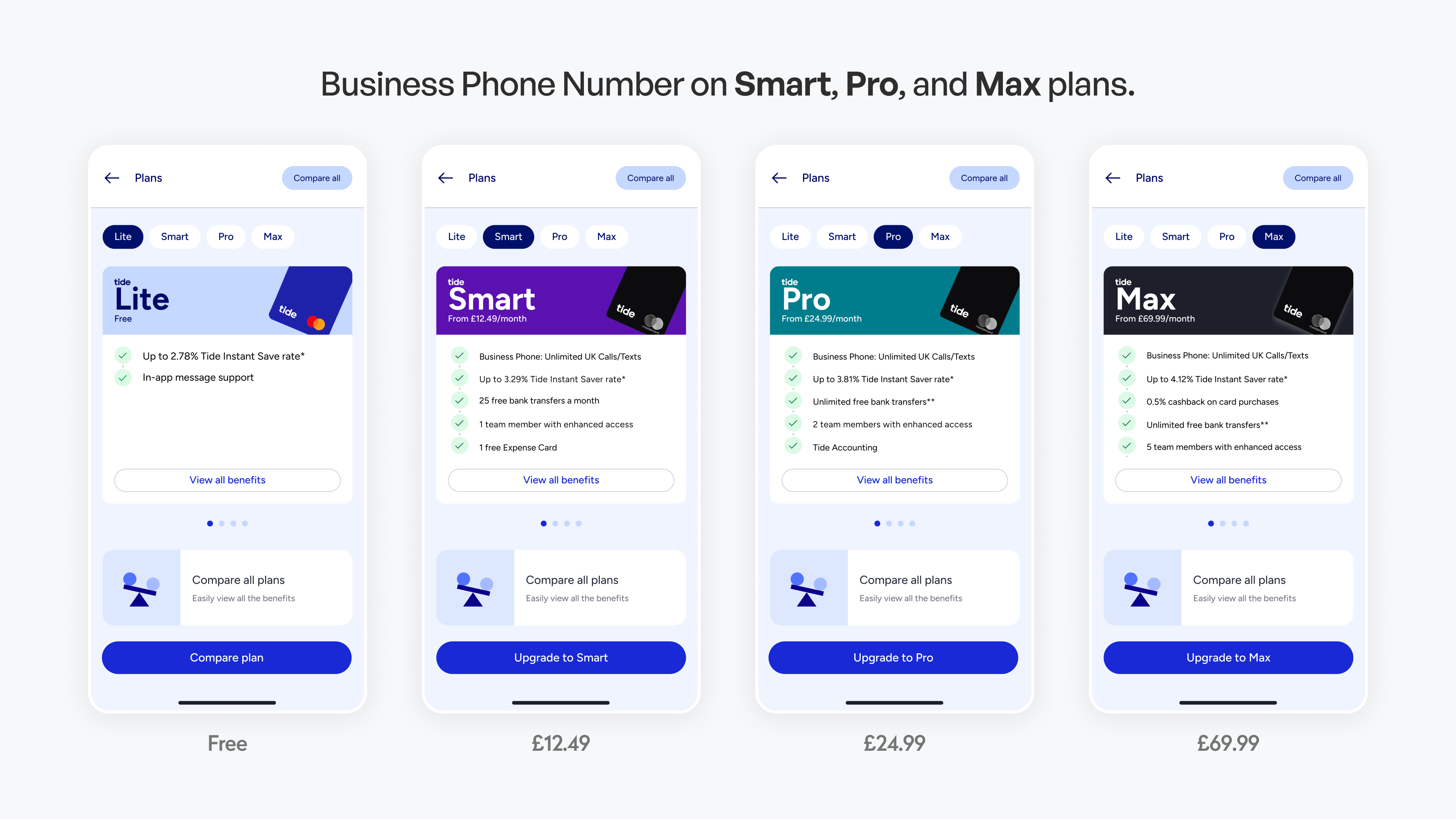
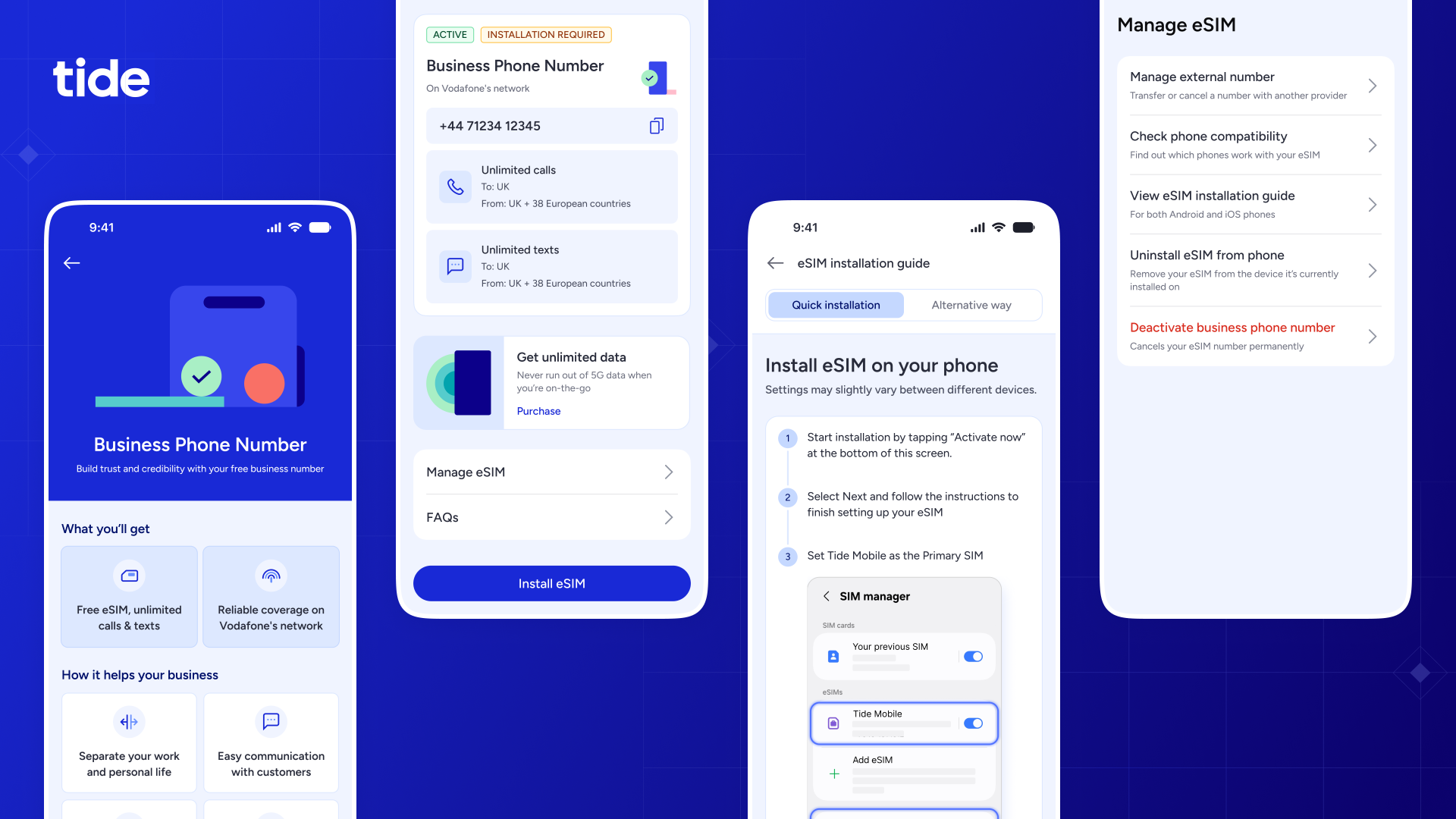
Business Phone Number — a dedicated eSIM-based business line
Users can now set up and manage a business phone number directly from the Tide app, without needing multiple devices or switching between personal and business communication.
- Unlimited calls and texts
- Optional Unlimited Data Boost (£15/month) with 5G data and EU roaming
- No annual price rises or credit checks
Prototyped on Figma [Interact]. Recorded on Macbook.
Building 0→1 generally means flying a plane while building it
I kicked off this project by getting early alignment on what the product was, who it was for, which teams are involved and what success looked like, before moving into the design discovery and execution. I also collaborated closely with external partners as well as the internal teams.

Work within partner-defined guidelines, stay compliant and seek their approval.
Collaboration with Plans & Subscription team for a dependent launch.
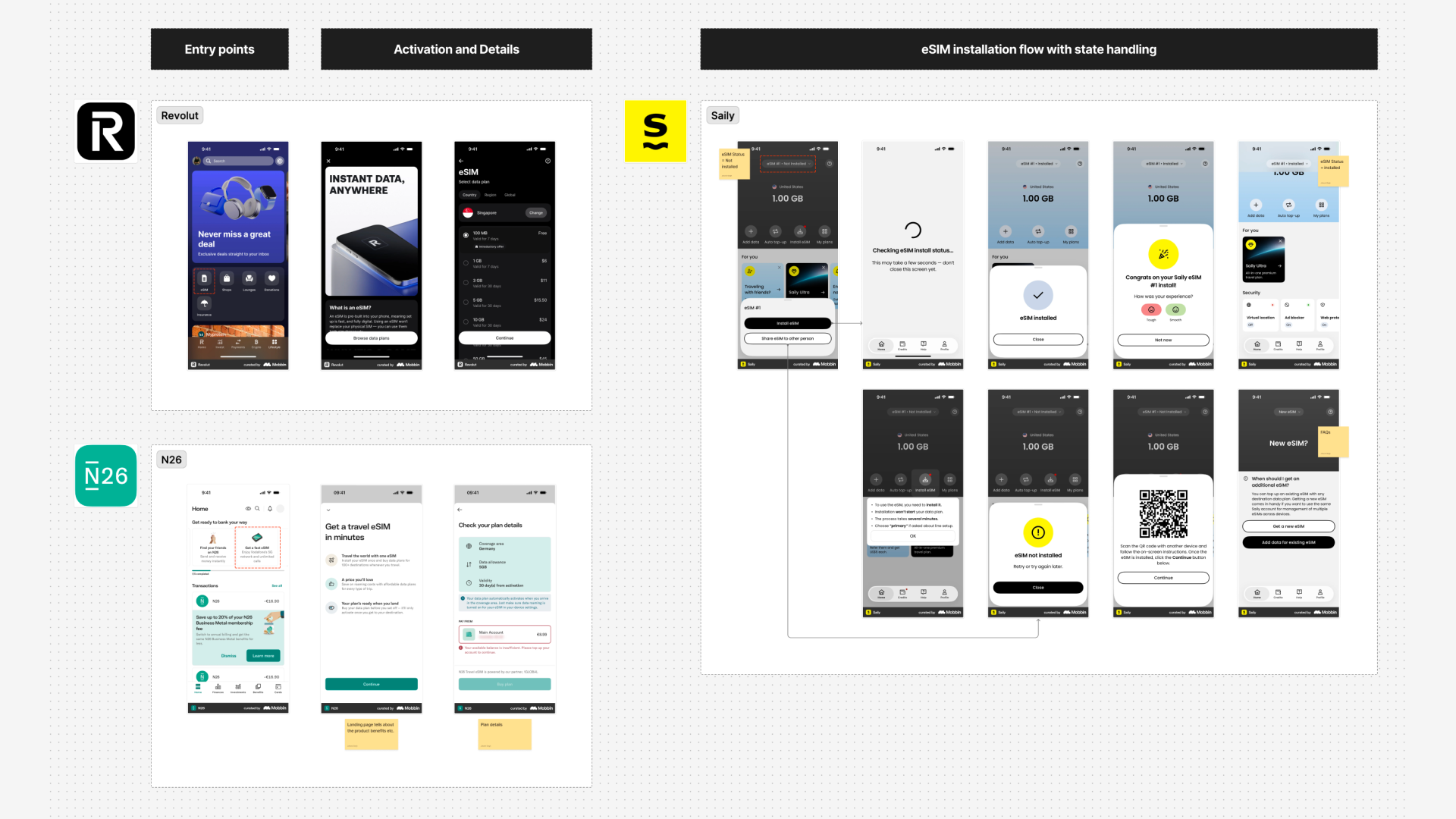
I studied the eSIM feature and flows across other apps like Revolut, N26 and Saily
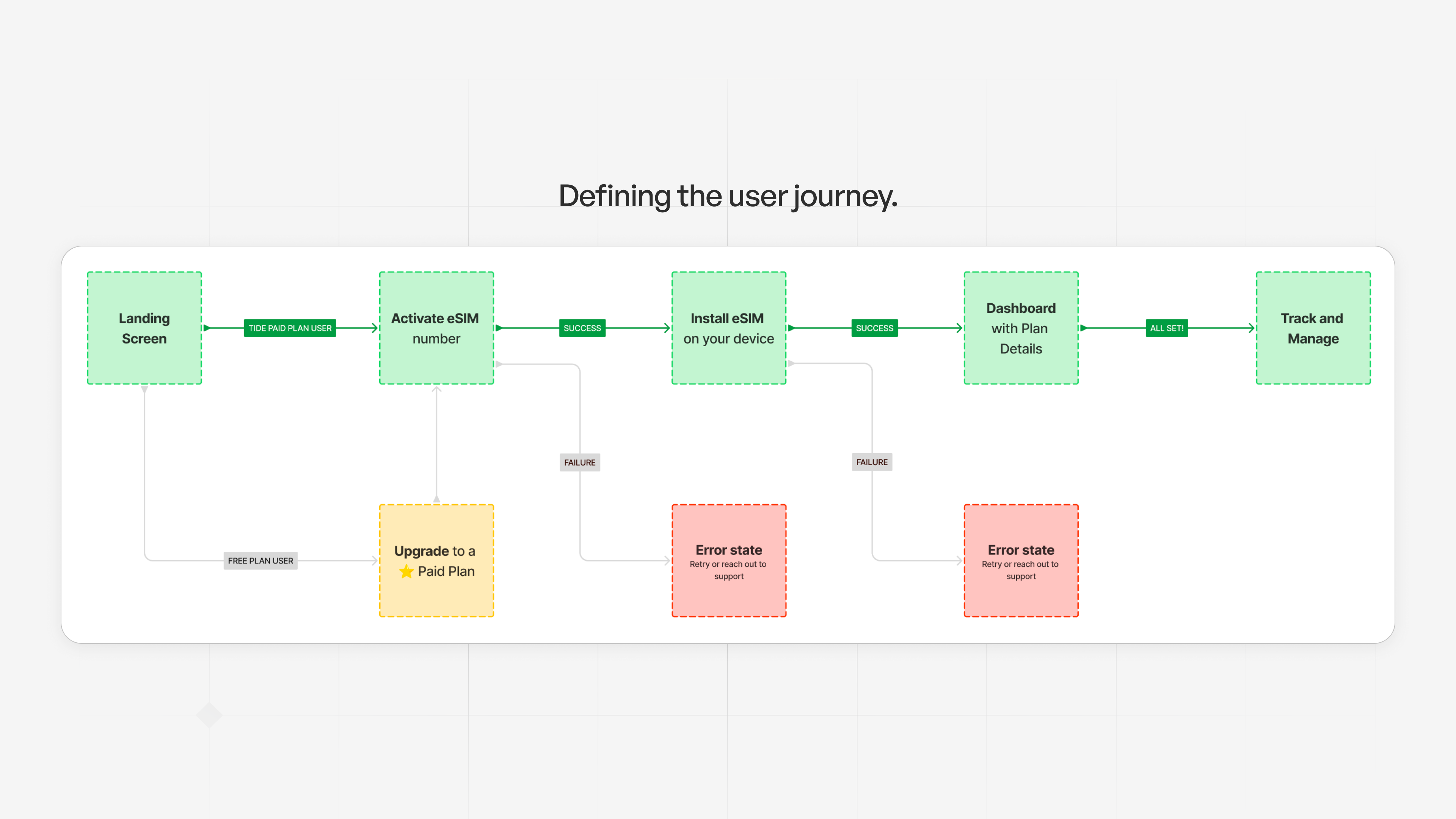
…and mapped out the user journey on a blank canvas
This helped me organise my thoughts, identify edge cases, and align stakeholders before moving into the details - bringing clarity and structure to the next steps.
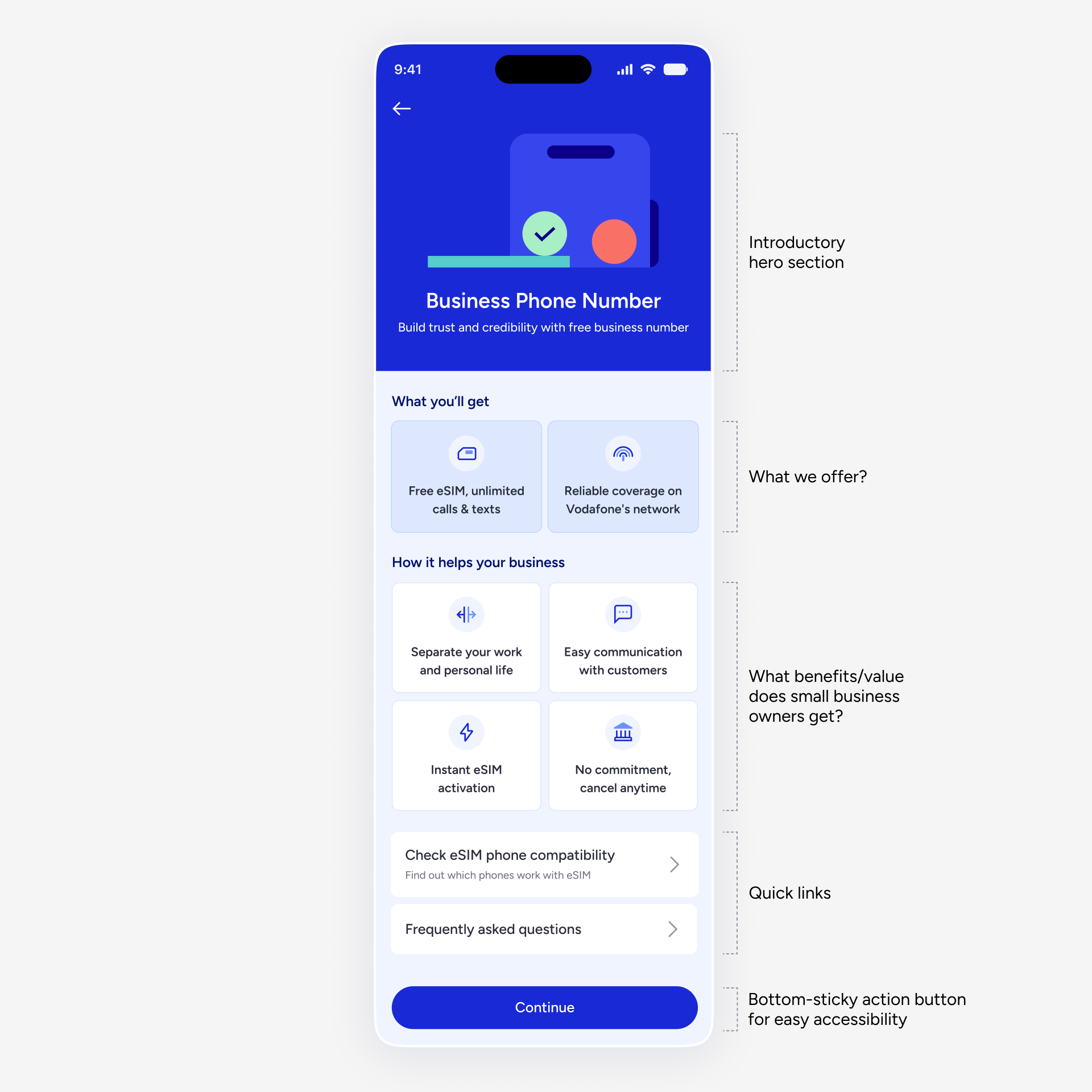
The first step was to shape the entry experience, clearly conveying the product's value
I structured the information architecture to follow a top-to-bottom linear reading pattern, intentionally sequencing information and actions to guide users from understanding to taking action.
But before getting it right - I explored, iterated and refined my ideas with Figma Make
To continue with eSIM setup, user needs to be on a paid Tide plan
Since BPN drives paid plan upgrades, I collaborated with the Plans team to integrate plan upgrade within the setup flow - allowing free plan users to upgrade seamlessly while the paid users could continue directly to the next steps.
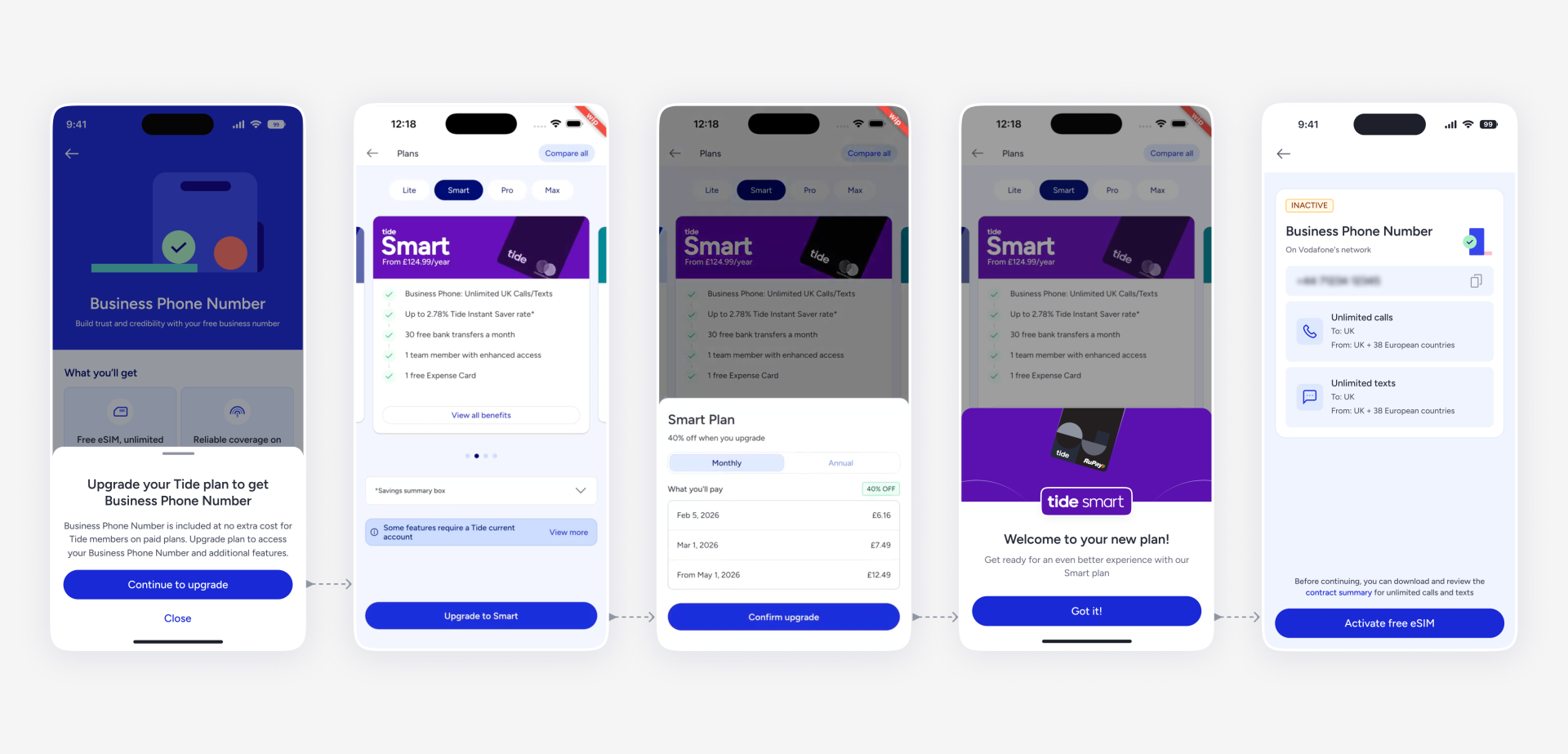
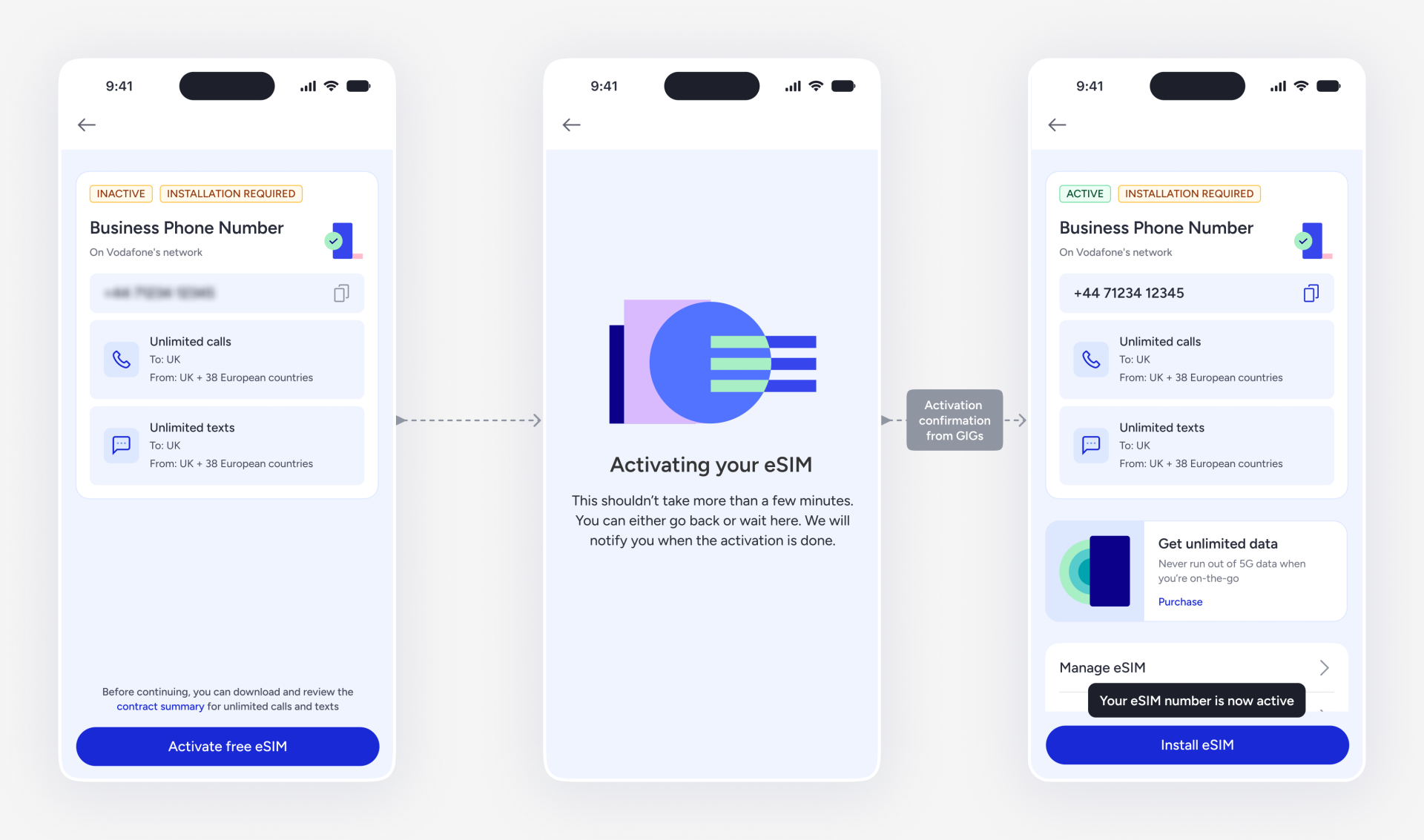
Once on a paid plan, users can start the setup by simply activating a new eSIM number
I designed the flow to prioritise clear next steps, reassurance, and momentum despite limited real-time status visibility from the partner (GIGs) - allowing users to exit and resume setup later, with notifications upon activation completion.
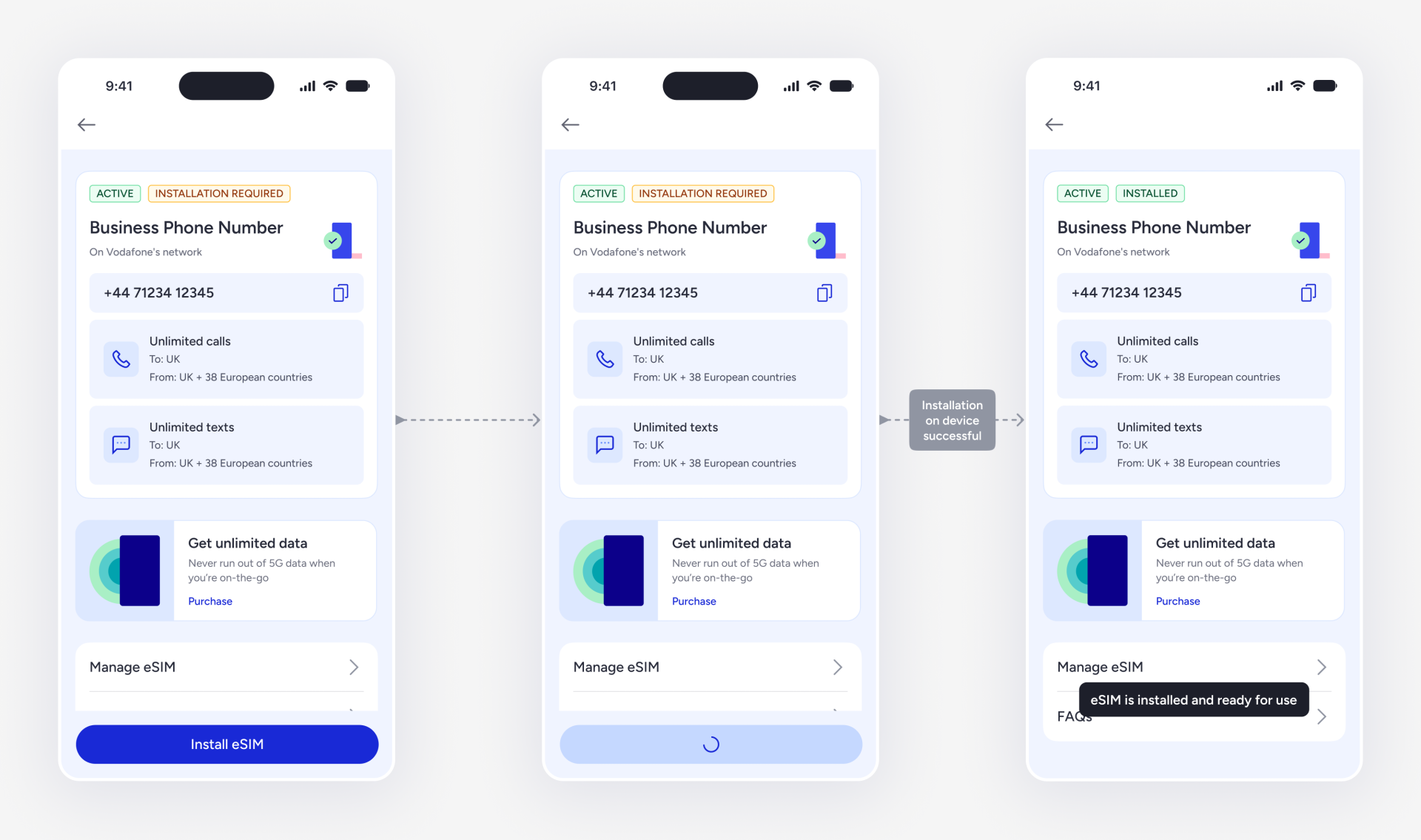
…and then install it on their device
But it was not that smooth sailing! We hit a few blockers
Unable to detect device's operating system (Android/iOS)
Due to technical constraints, we couldn't reliably fetch the user's device OS, making it difficult to personalise the installation flow or rely on a single guided path.
Installation flows varied across devices
Some devices supported direct setup via deeplink, while others required activation code(s) which made a single linear installation flow infeasible.
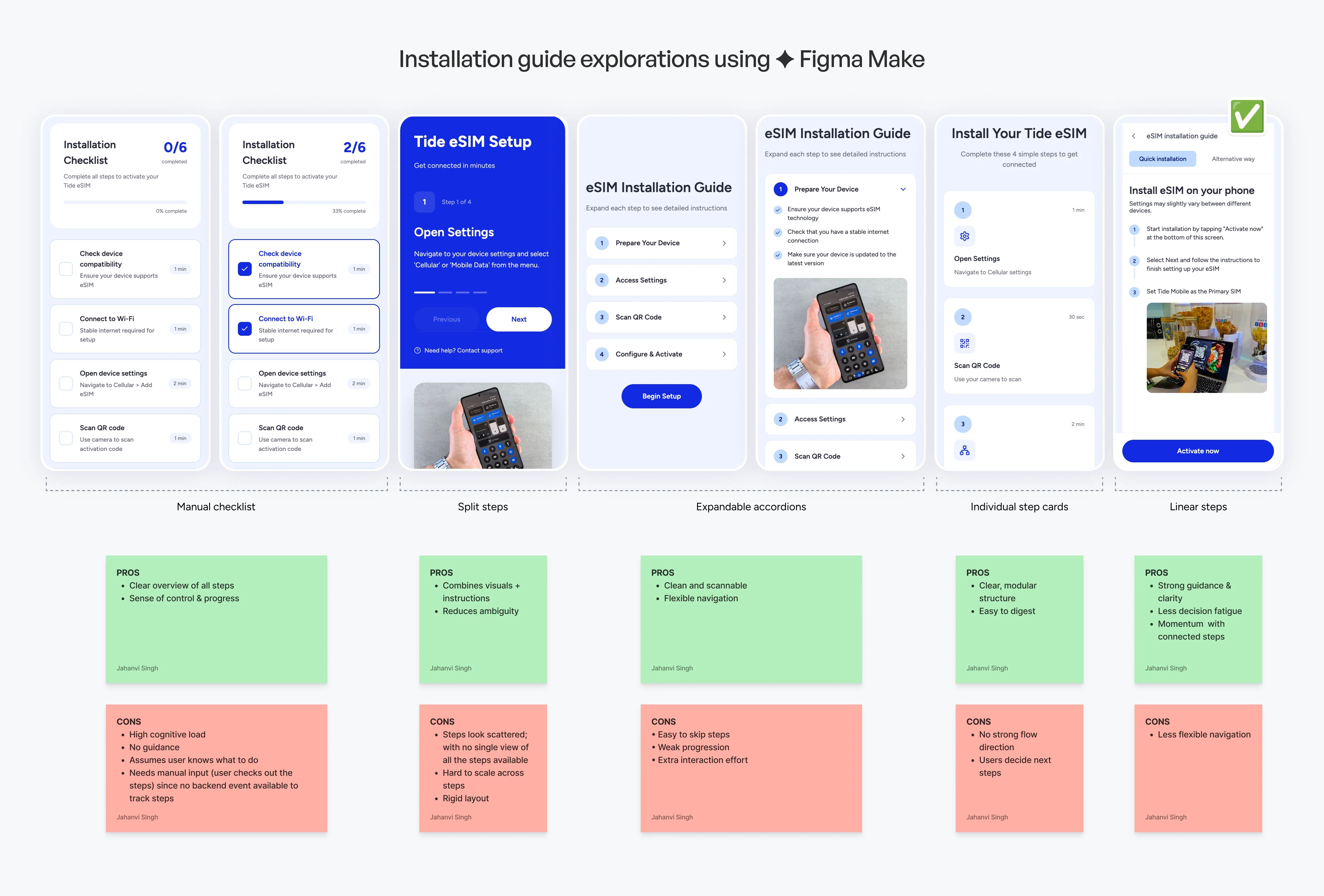
So, I benchmarked how other apps guide users through a setup
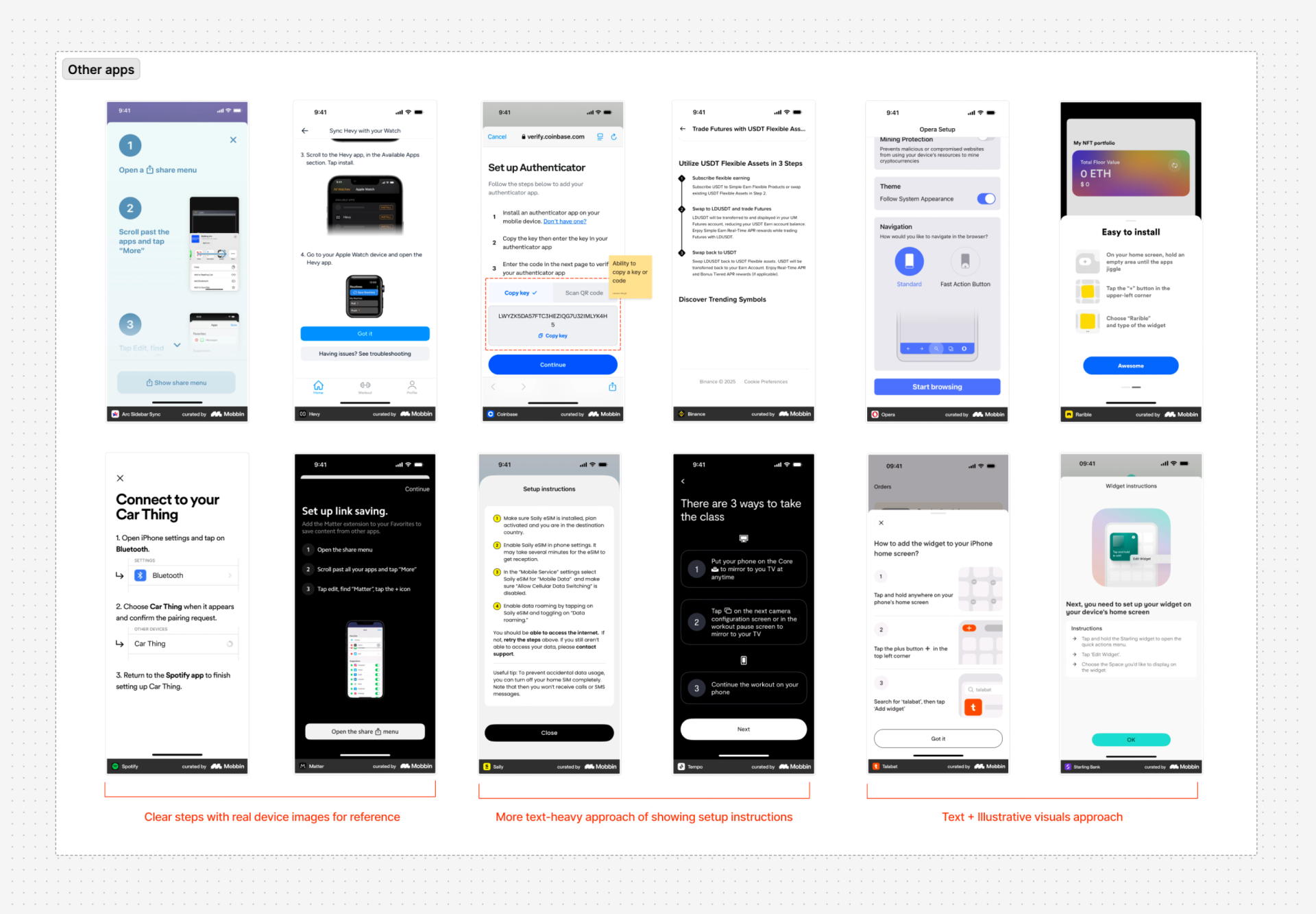
...and created some initial explorations using Figma Make AI
I decided to go ahead with the linear step approach because it provided the right balance of clarity, guidance, and momentum, making it most effective for a high-friction, task-driven flow like eSIM installation.
I further showed the linear step approach prototype to a few internal co-workers to test the approach. Once validated, I used the Tide's Design System components to create the final, polished UI screens.
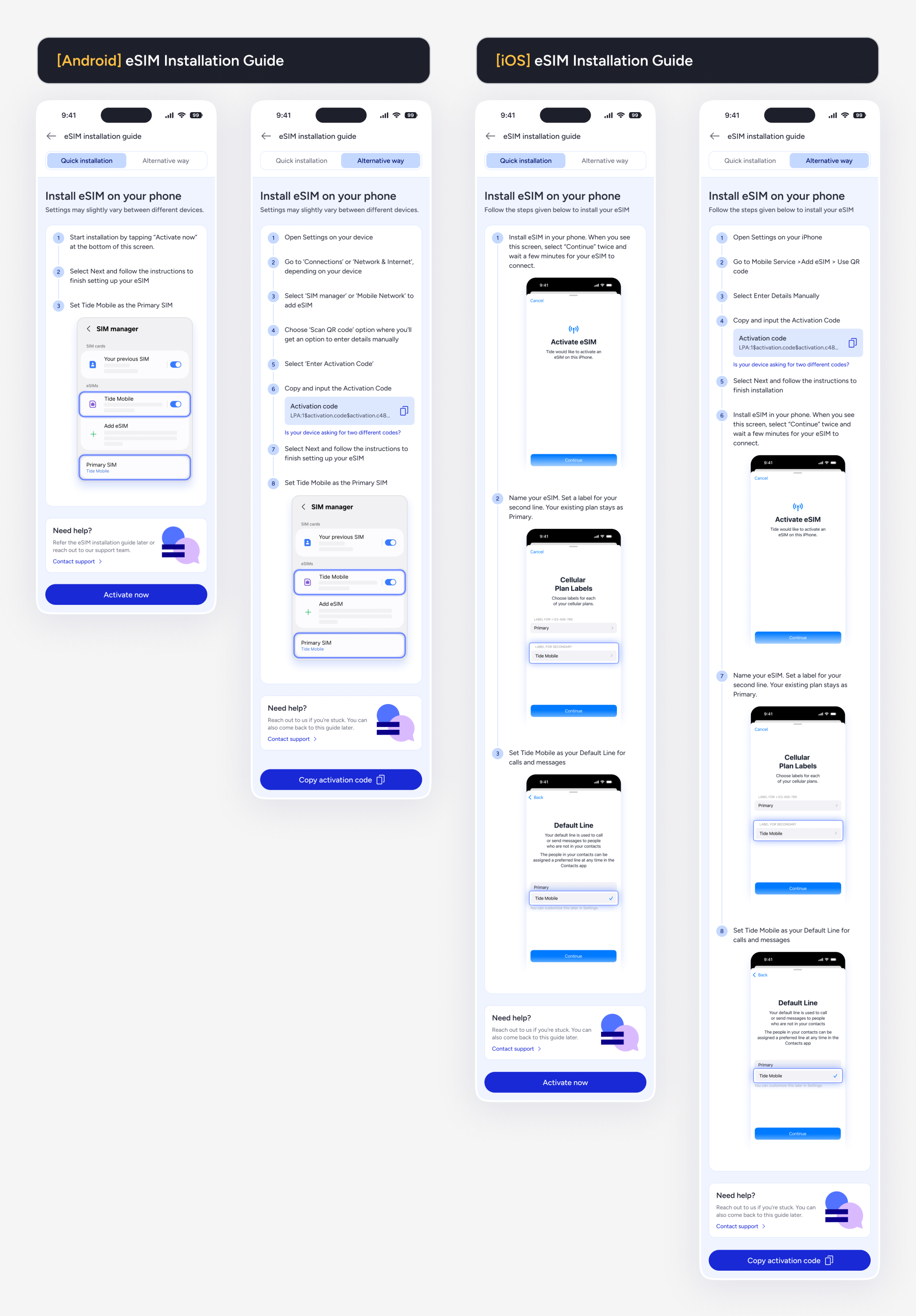
I proposed this tailored eSIM installation guide to unblock the setup journey
This installation guide approach addresses both constraints by allowing users to manually choose their device type and follow step-by-step instructions with visual cues for clear guidance - enabling them to install the eSIM using the method supported by their device, either via a deeplink (quick method) or an activation code (fallback method).
The new installation guide designs were quickly adapted to meet device-specific constraints and ensure scalability.
- Users manually select their device type (Android/iOS), removing dependency on OS detection
- Two installation methods per platform — quick (deeplink) and alternative (activation code) — to account for all device capabilities
- Non-linear flow structure with tab-based navigation, so users only see steps relevant to their chosen method
- Step-by-step instructions with visual cues reduce cognitive load and support self-service setup
- Fallback support section with contact options for users who get stuck
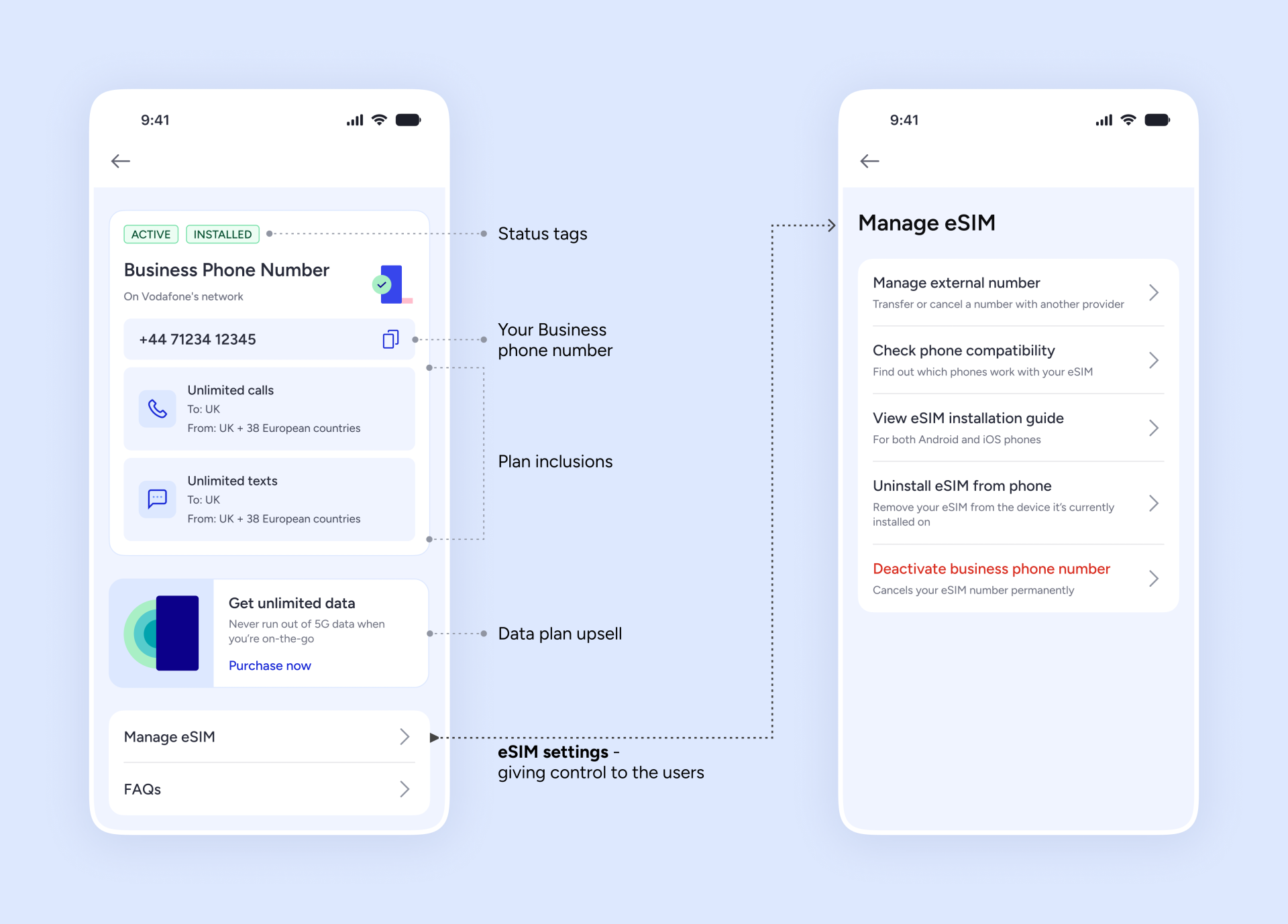
All done! The business phone number is ready for use
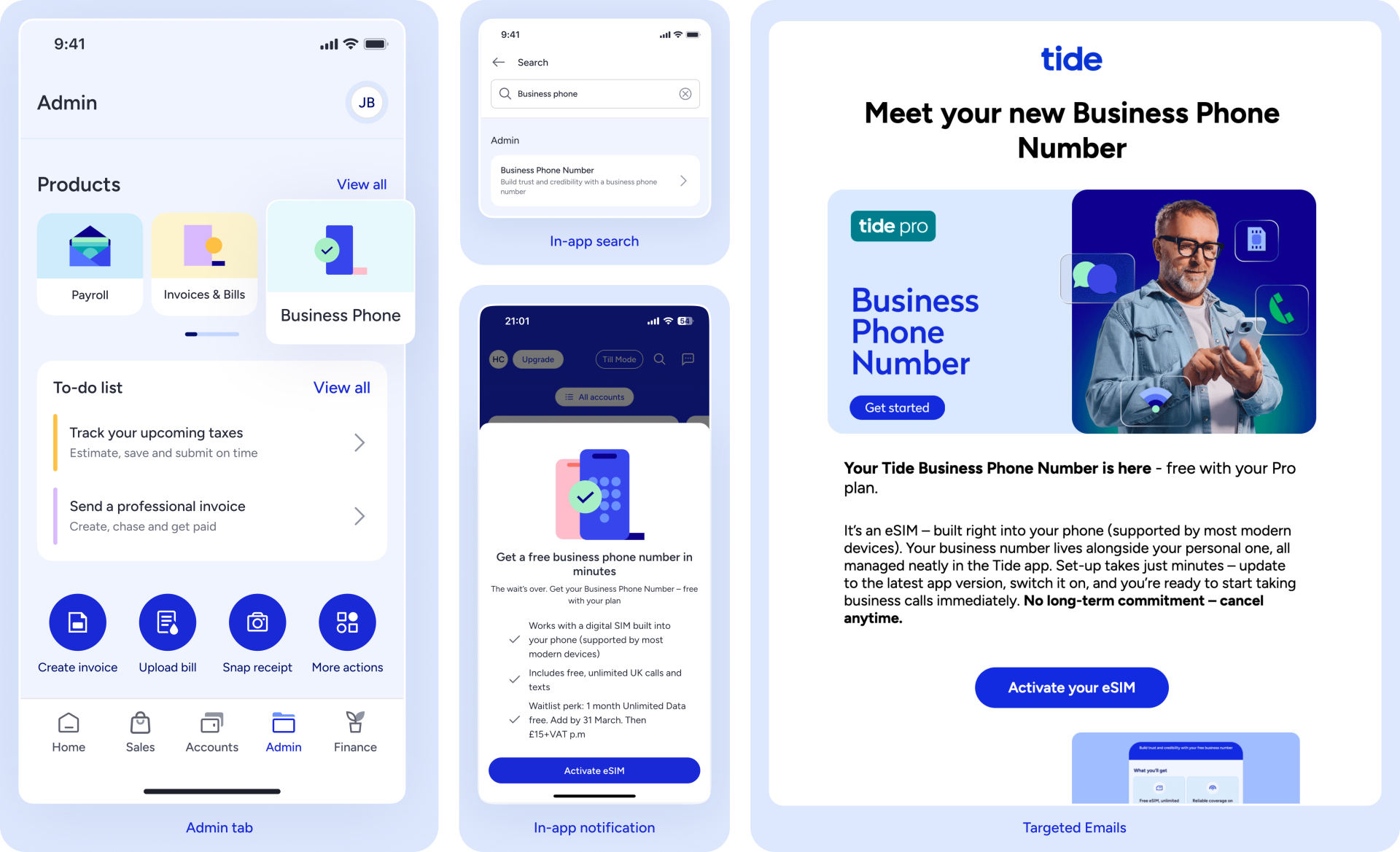
Let’s take a step back — how do users discover this product?
Since Business Phone Number is an admin-focused feature, we introduced entry points within the Admin tab to ensure contextual discovery. Users can also find it via global search within the app. To support launch, I also collaborated with the CRM team to design in-app marketing pop-ups, targeted emails and push notifications.
Business Phone Number went live for the Tide users in March 2026
We saw a strong early traction for a new product, indicating clear user need and discoverability. Users adopted it quickly with 90% usage showing strong perceived value and retention. Mid and high-tier businesses showed stronger intent, validating the product-market fit among more mature businesses.
~2,000
eSIM Activations
Strong early adoption
~60%
eSIM Installations
Low drop-off, high intent
~90%
Active usage
Strong perceived value
...and we also made it to the headlines
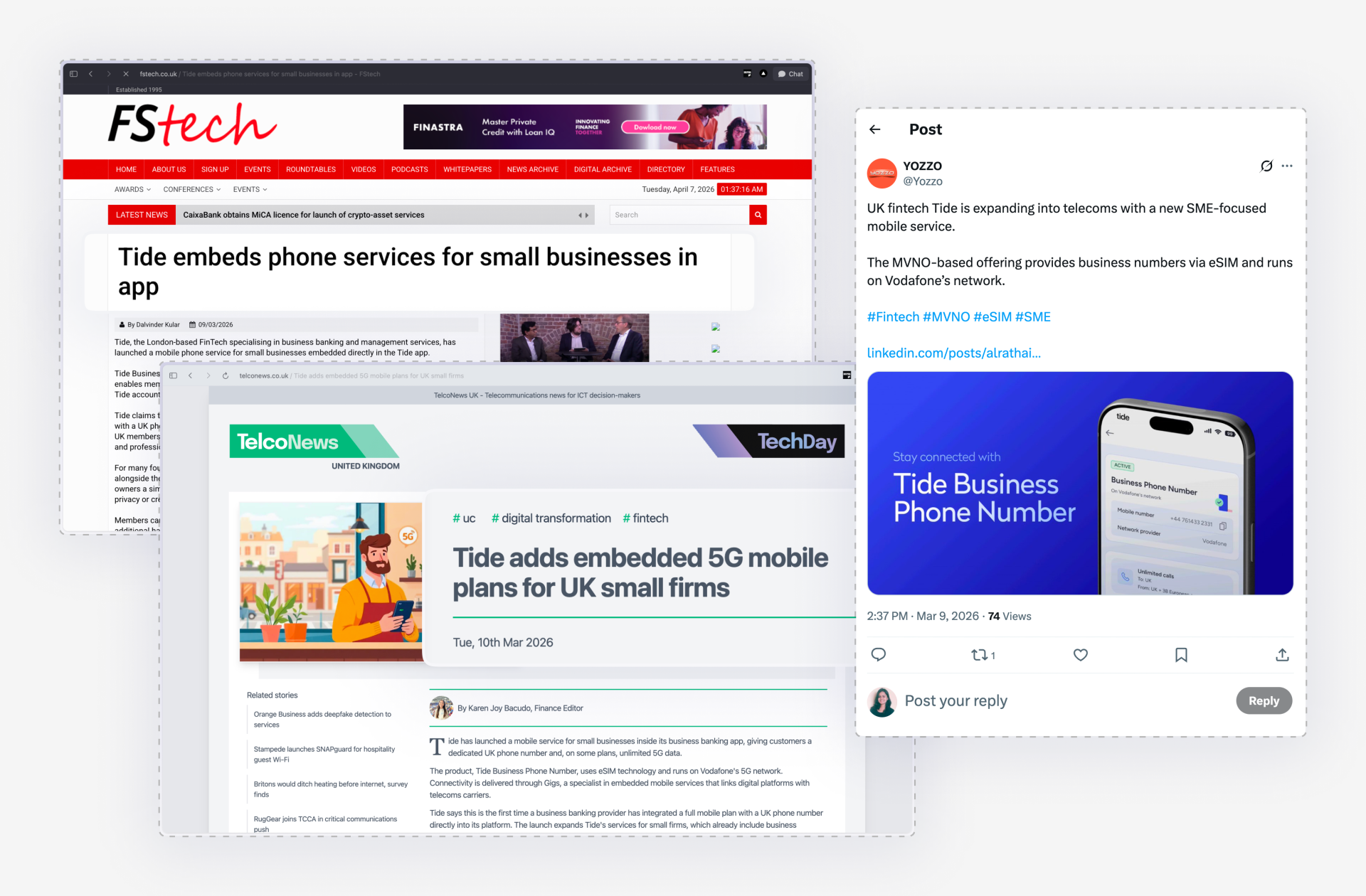
Post-launch, I worked on increasing discovery and adoption through contextual upsells and cross-sells.
By surfacing Business Phone Number within high-intent user flows in the Tide app, I made the discovery feel seamless and relevant to the user goals, at the right point of time - for an increased chances of adoption. This was a growth initiative taken by design, and was very well received by the stakeholders.
Business Details
Added an entry point to Business Phone Number in business settings under 'Profile', where users manage their business details.
Invoices
Prompt users to switch to a Business Phone Number in invoice settings, where their personal number is currently shown by default.
Team Hub
Highlight Business Phone Number in the team hub, enabling owners to get a number or assign numbers to team members.
Company Registration
Introduced BPN as an add-on during the company formation registration flow, reaching users at a high-intent moment.